What SkoolMob does.
Six modules to run the school from a phone: marks and report cards, absences, school fees, communication, parent space and verification.
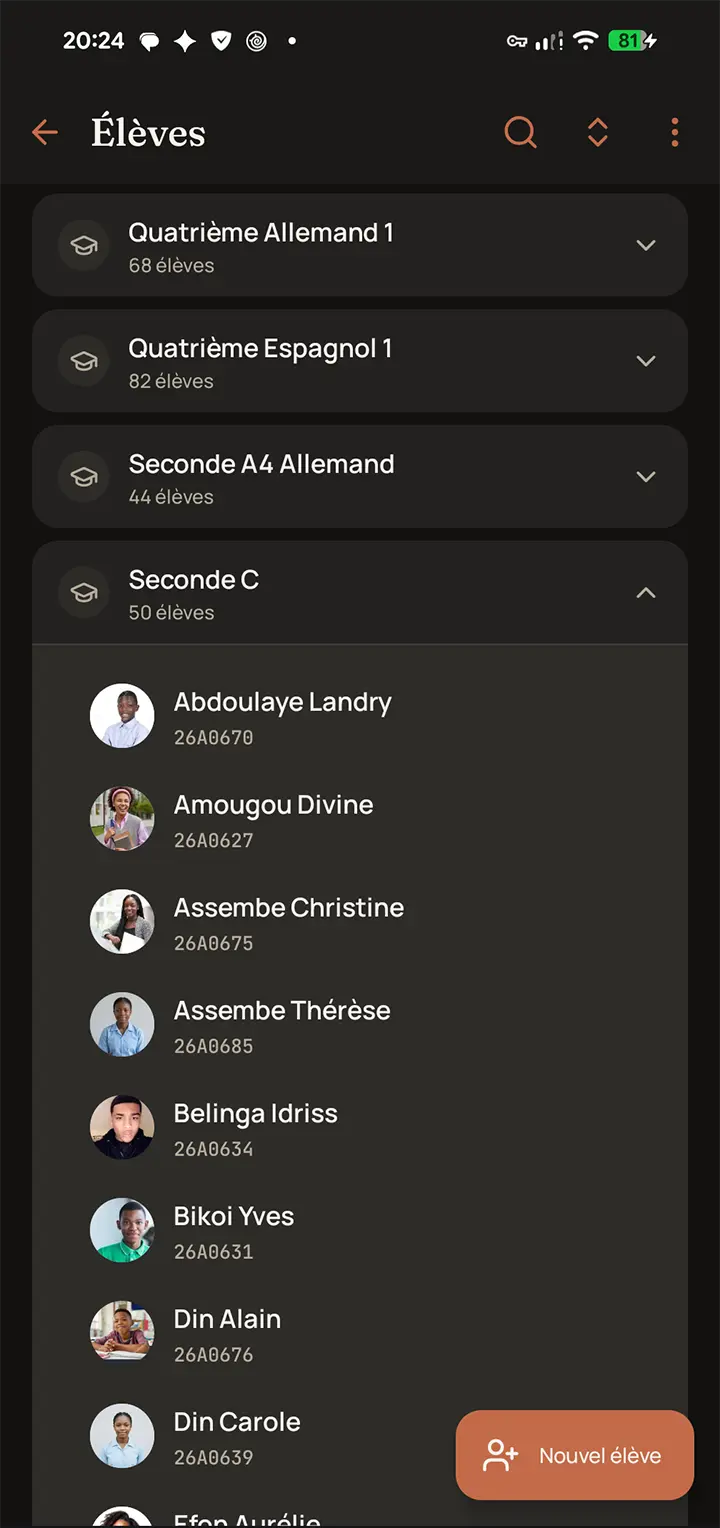
Enrolments, transfers and student records.
Every student has a structured record: an internal registration number assigned automatically, a national number entered by the school, a photo and an enrolment class. New school years are prepared by Excel import, and transfers between classes preserve the grade history.
- Batch Excel import from a template downloadable in the app.
- Unique internal registration number, with no clash from one school year to the next.
- One photo per student, optimised automatically for fast display.
- Transfer between classes without losing the grade history.
- Access restricted to authorised teachers, the administration and linked parents.
Roles, permissions and assignments.
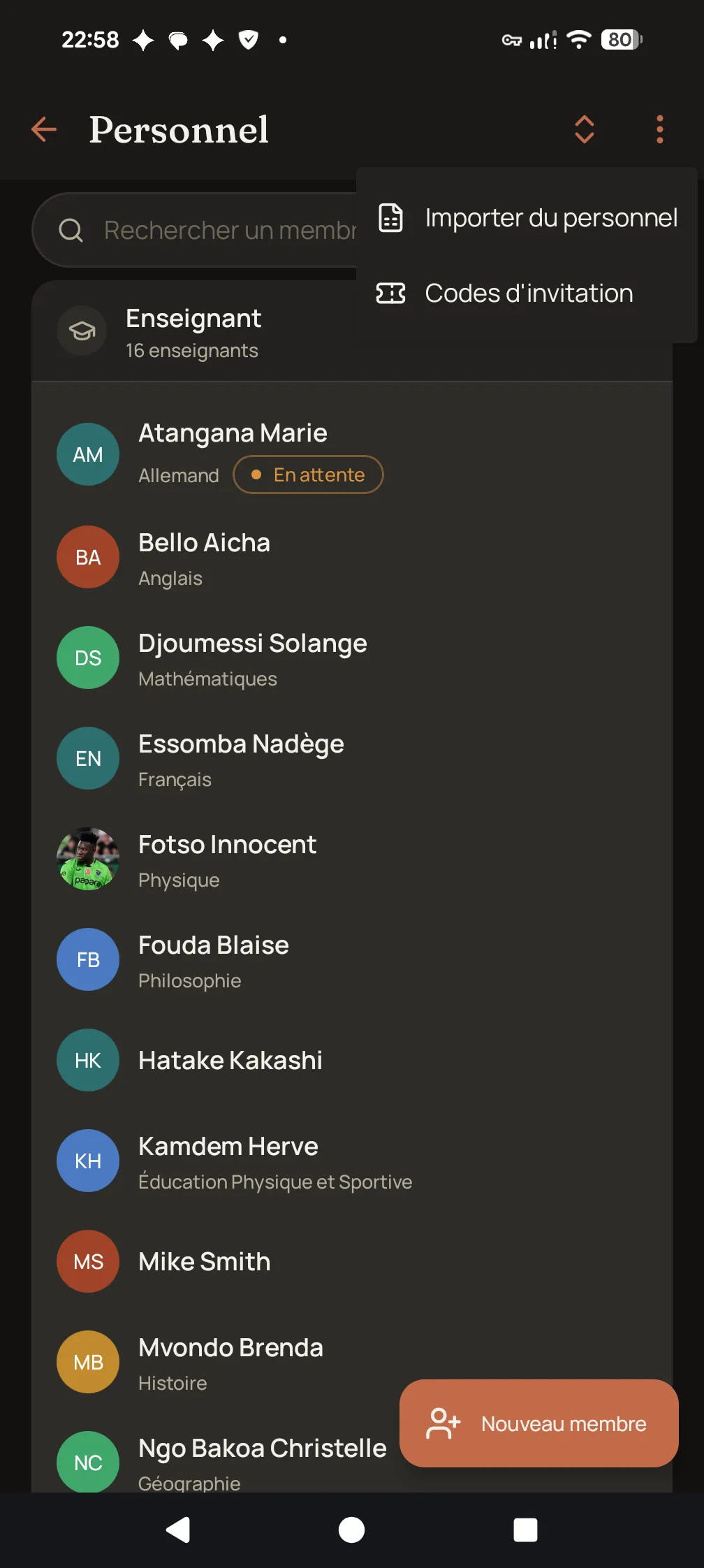
Teaching and administrative staff are managed by role and by function. Each teacher receives their class-subject assignments with the official coefficient, and can only enter grades against them.
- Separate roles (head of school, teacher, discipline staff, workshop head) and customisable internal functions (principal, vice principal, discipline officer).
- Permissions granted by function: each person only accesses their own scope.
- Batch Excel import for staff, with a password to be set at first login.
- Class-subject assignments with the official coefficient.
- Photo and registration numbers (payroll, teaching) on each staff record.
Opened from the national catalogue.
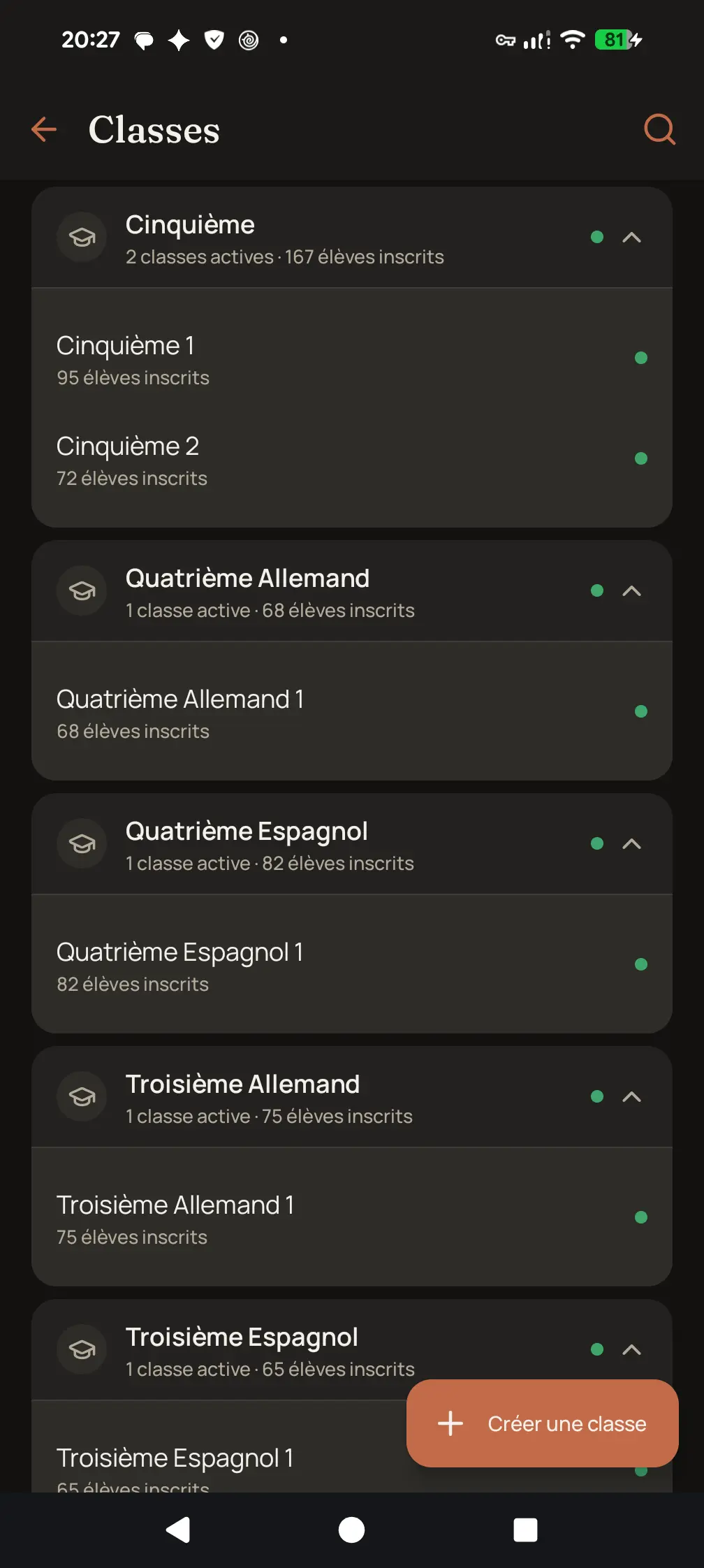
Classes are created from the national catalogue, never by hand. Each template carries the level, the stream, the second modern language and the subjects with their coefficients. A Form 3 Spanish and a Form 3 German remain two distinct classes.
- Batch opening during the onboarding assistant.
- Science, arts and technical streams, filtered by school type.
- Subjects and coefficients inherited from the catalogue, adjustable per class where needed.
- Teacher assignment by subject and by class.
- Reactivation of dormant divisions before any new creation, to avoid duplicates.
Grade entry in class, with or without a connection.
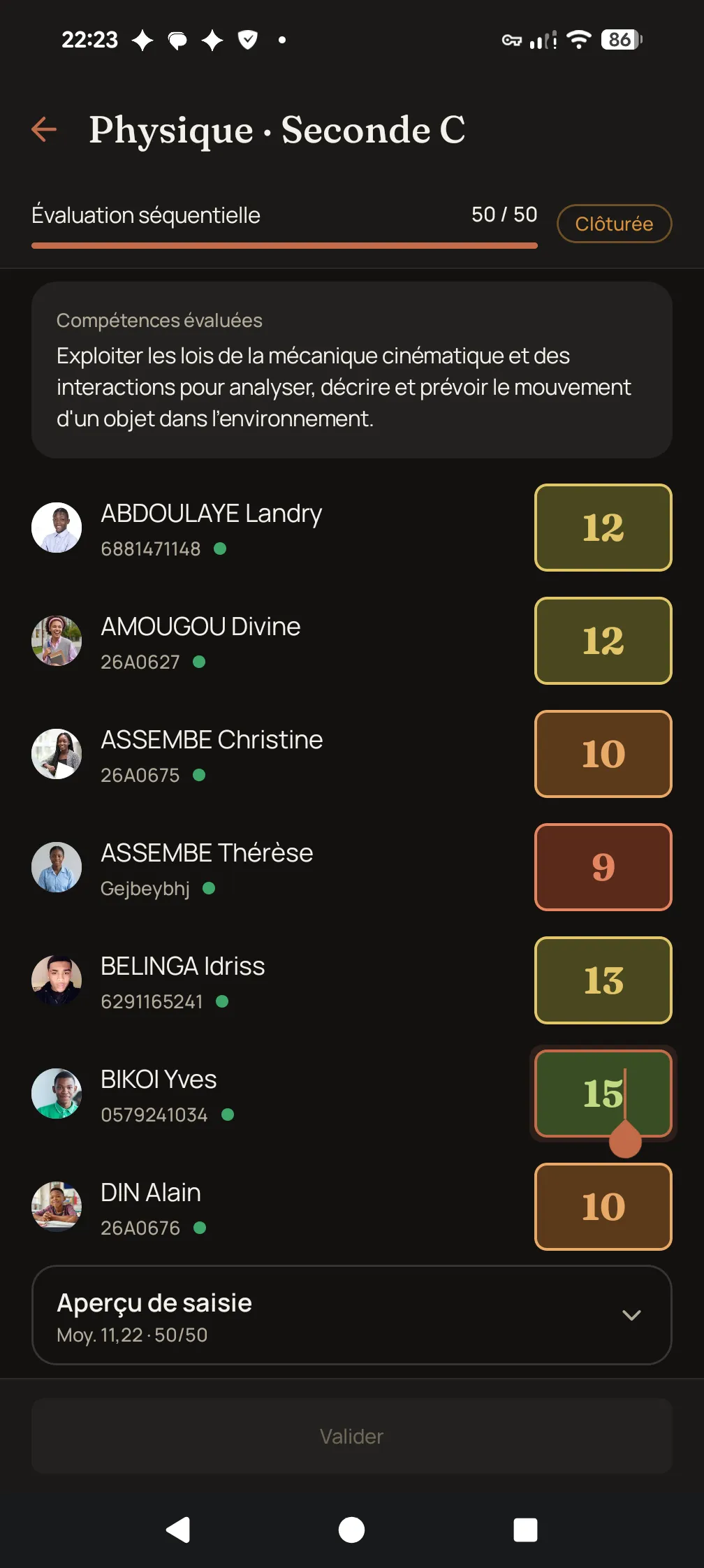
Each teacher enters grades on a phone, in the classroom or the staff room. Offline, grades are stored on the device and flagged as pending, then sent as soon as the network returns.
- Grades out of 20 across all subsystems.
- Sequences opened then closed by the administration; once closed, no further entry is possible.
- Averages, ranks and cotes computed server-side, to guarantee consistency with the official report card.
- Class statistics: average, grade distribution and breakdown by cote.
- Grade sheet exportable as PDF by the teacher, for their own class-subject.
Report cards generated in batch, ready to print.
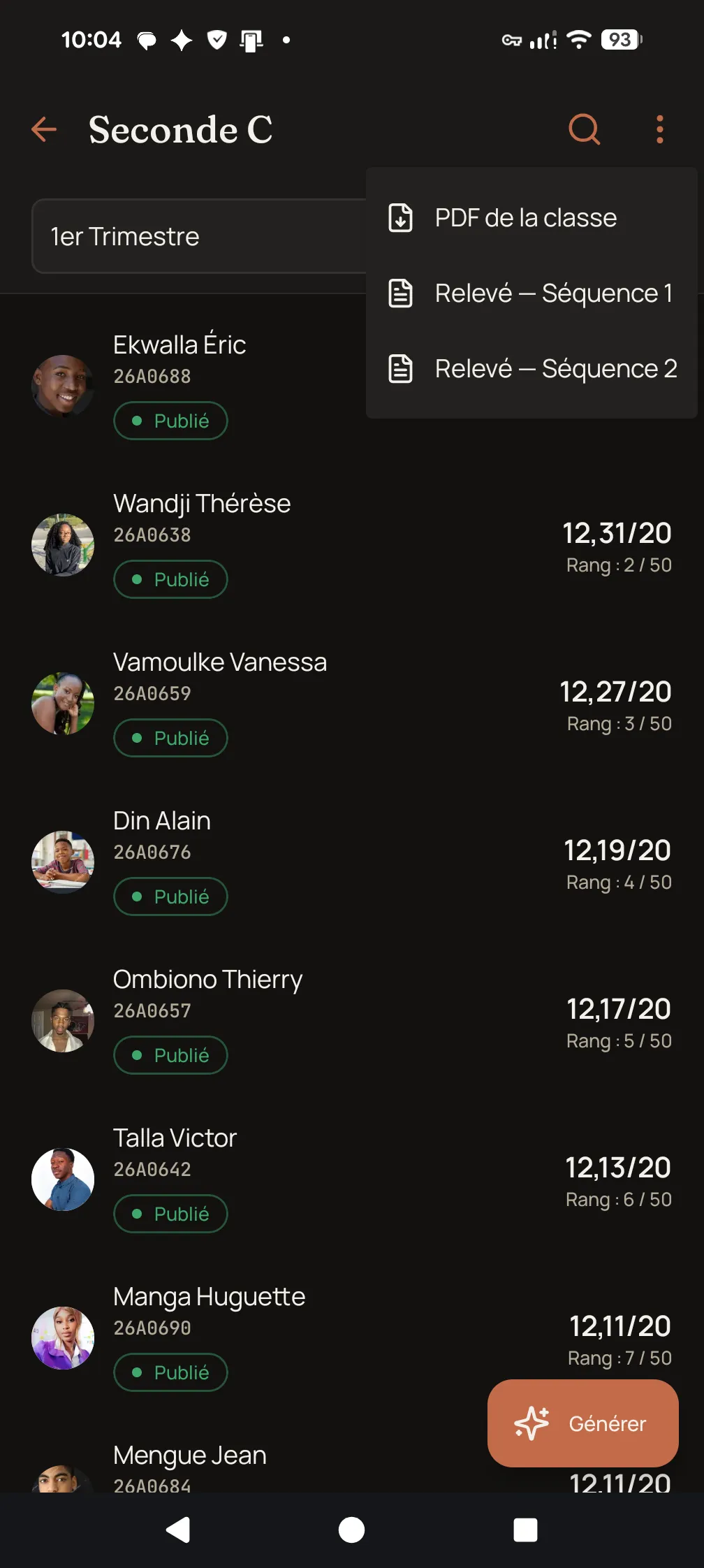
The termly report card is the reference document: the school year has 3 terms and 6 sequences. School header, averages out of 20, COTE, averages weighted by coefficient, rank, remarks and class council signatures.
- Generation for a whole class or a whole school, in a single operation.
- Controlled publication: before publication, only the administration can access the document.
- Verification QR code in the footer, pointing to verify.skoolmob.com.
- PDF downloadable by the teacher, by the student and, once published, by the parent.
- Francophone (COTE) or anglophone (letter grade) format, resolved class by class.
- Immediate reprint of a report card already produced.
- Sequence sheet available for internal follow-up.
Roll call on a phone, the parent told by SMS.
Roll call is taken class by class, marking only the absent students. Late arrivals are recorded at the gate. For every unexcused absence the parent is told; the family can file an excuse, which the school accepts or refuses.
- Class-by-class roll call: only absent students are marked, with the hours missed.
- Late arrivals recorded at the gate, by name, school ID or student card.
- SMS and notification to the parent for every unexcused absence.
- Excuses filed by families, accepted or refused by the school.
- Offline entry: the roll call goes out as soon as the network returns.
- Term discipline report as a PDF.
Fees collected, tracked and followed up.
The school defines its fee schedules, with their instalments and due dates. At the desk, every payment produces a numbered receipt and an SMS to the parent showing the balance left. The head of school follows the day’s cash book and the arrears, student by student.
- Fee schedules with instalments and due dates.
- A numbered receipt for every payment, with no gap in the numbering.
- SMS to the parent with the receipt number and the balance left.
- Today's cash book and the list of arrears.
- Automatic reminders to late families: three moments per instalment, never more.
- A receipt is never edited: it is cancelled with a reason, and the trace remains.
- The parent sees the next instalment and the balance left in the app.
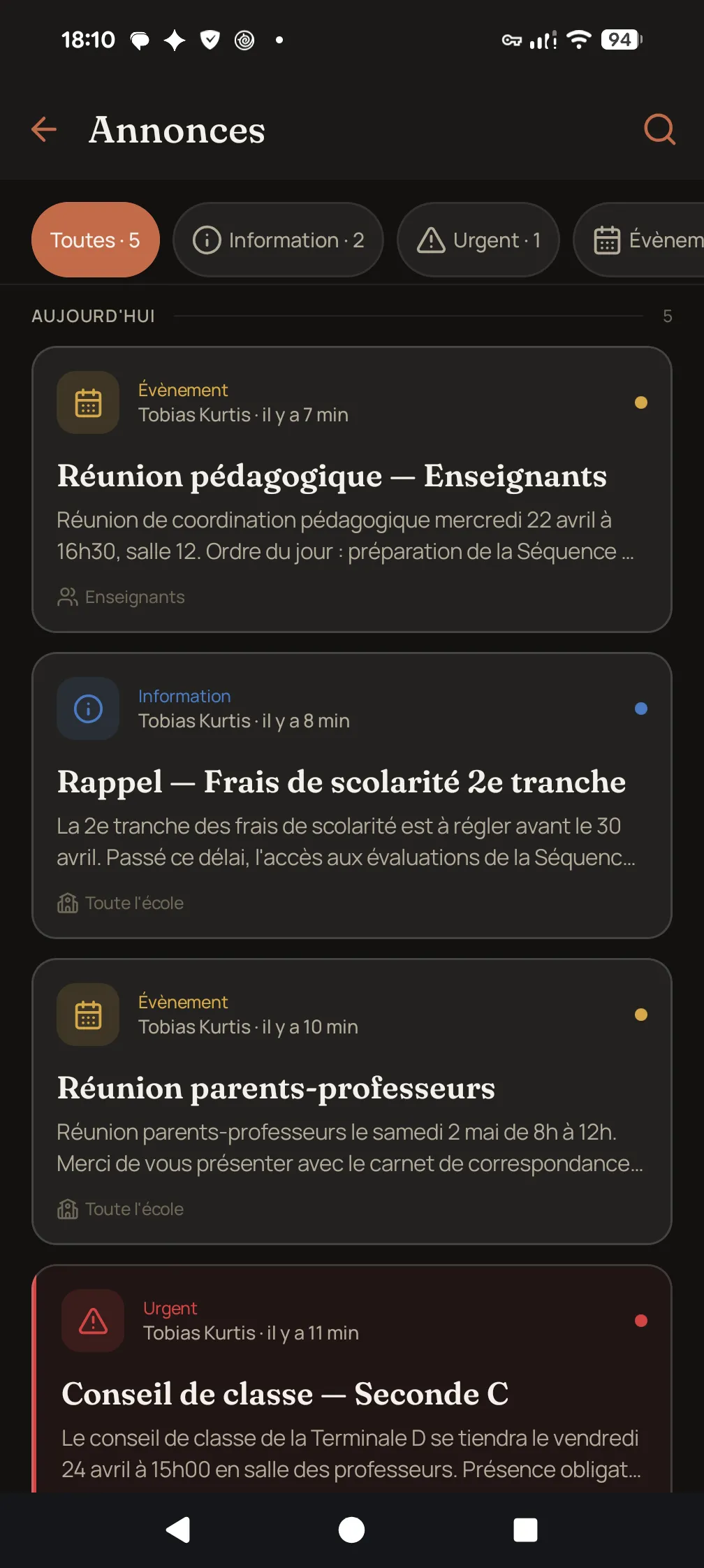
Institutional announcements and targeted notifications.
Communication runs through a single, traced channel: announcements published by the administration, automatic notifications when a report card is published, and an SMS fallback for parents without the app. Individual exchanges between teachers and families stay outside the application.
- Announcements targeted by school, cycle, class or role, with a recipient count shown before sending.
- Notifications inside the application.
- SMS to parents for important events, such as the publication of a report card.
- Notification feed per user, with an unread counter and individual or global read marking.
- Notifications sorted by type, so each parent chooses what they receive.
- Messages available in French and English depending on the school.
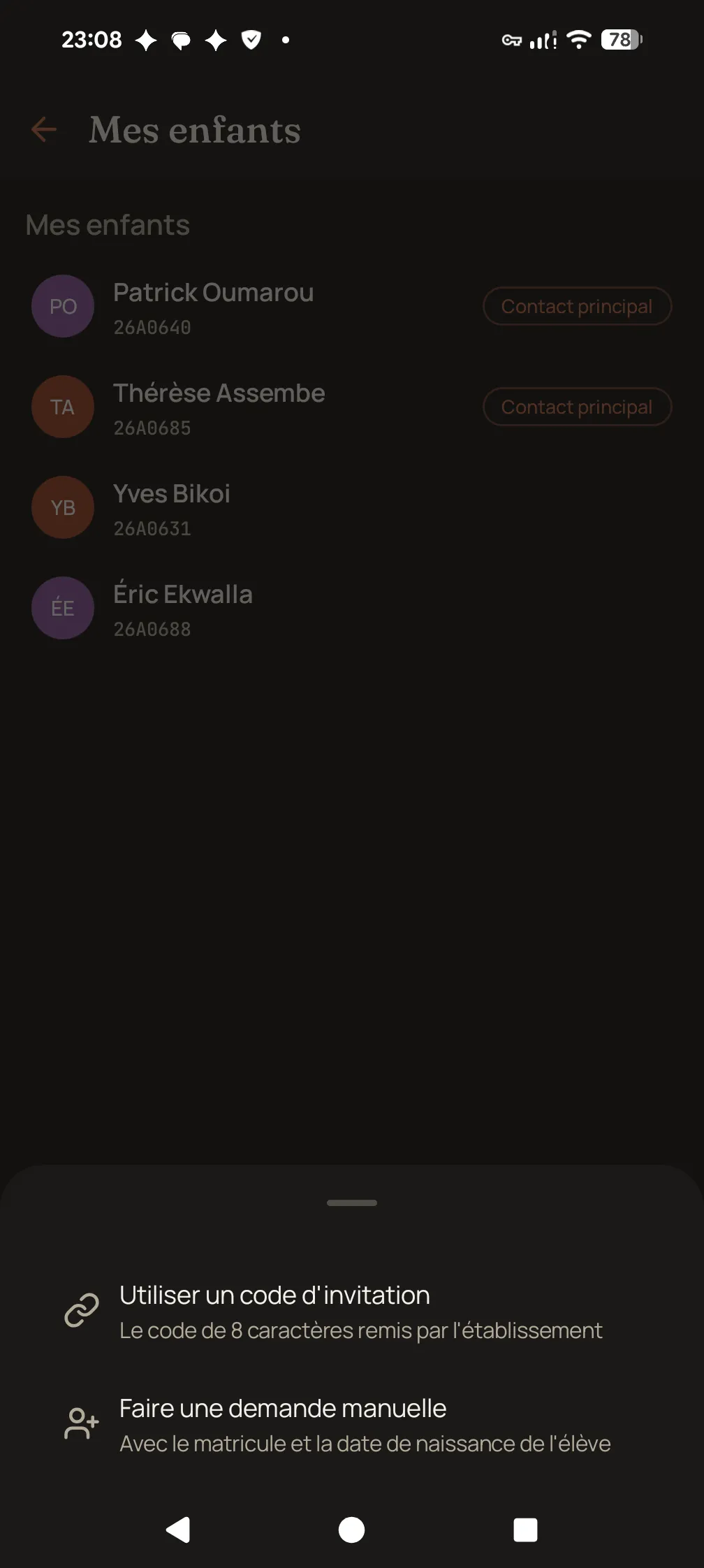
One invitation code, one approved link.
Each student receives a printed 8-character invitation code, with no characters that can be confused when read by hand. The parent installs the app, enters the code and sees their child appear. Without a code, they submit a request with the internal registration number and date of birth, which the administration approves.
- A named code, printed for each student.
- Immediate linking by entering the code.
- Manual request (registration number and date of birth) approved by the administration.
- Regeneration or revocation of a code without breaking links already approved.
- One parent can be linked to children in several schools.
- Printable PDF of the codes, class by class.
One unique QR code per report card, verifiable online.
Every published report card carries a unique QR code in its footer. Scanning it opens verify.skoolmob.com and confirms the authenticity of the document: issuing school, period, student and key results, exactly as printed.
- A unique identifier assigned when the report card is published.
- Public page, readable without an account, from a phone.
- The page reveals nothing beyond what the printed document already contains.
- An unpublished report card stops being verifiable.